A hand holds a black microphone with a large round foam windscreen

5 Simple Usability Tips

• 4 min read

576 Shares
Save

Want to improve the usability of your website but don’t have much in the way of time or budget to do it? Then we have 5 simple usability tips that are easy to implement and which won’t break the bank:

Facial Alignment Matters

You can use the images of faces to highlight the most important content on a page. We’re social animals and we use our faces to communicate our mood and our interests without even thinking about it. That means when we see other people; we instinctively look to their faces to try and decipher some of that information.

Author/Copyright holder: Bill Dickinson. Copyright terms and licence: CC BY-NC 2.0

We also tend to follow people’s eyes. If you walk into a room and everyone is staring behind you what do you do? Most people will glance behind them to find out what people are looking at.

You can use facial images to pull this trick online too. If your face’s eyes are pointing at something; people will tend to look where they’re looking.

People Hate Scrolling

A survey by Jakob Nielsen, showed that less than a quarter of first-time visitors to a web presence will engage the scroll functionality. That means more than three-quarters of people never scroll down the page. So if you want your content to have maximum impact; it needs to be above the fold. Now, you can’t put everything over the fold (without creating a mess) so you need to prioritize the most important content and then try and place it there instead.

Author/Copyright holder: SamahR. Copyright terms and licence: CC BY 2.0

We’d suggest that your value proposition is clear. That a user can identify where they are (yes, make your brand and name clear above the fold). And that you make it easy for them to move to other parts of the site if they want to do so.

We Are Creatures of Habit

Don’t spend any time at all thinking about the colours for your links; choose blue. Why? Because we’re creatures of habit and pretty much everything from Google to Microsoft Word uses blue links. Why reinvent the wheel? Show us a pattern we know and we’ll conform to it; we’re creatures of habit because it’s less time consuming than learning something new every time we do the same thing.

Expand the Search Box

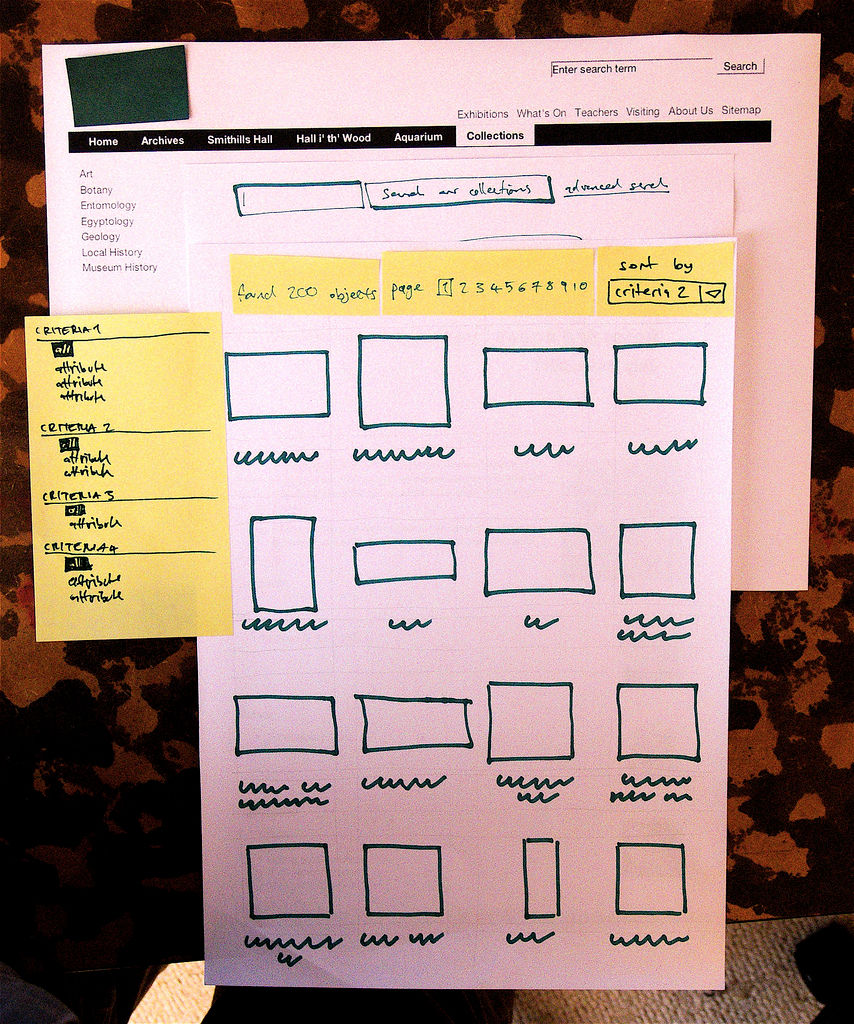
We’re in an age where we ask search engines complex questions all the time. This is easy when you land on the Google home page but on most websites… there’s a tiny little box in the top right hand corner. People are more likely to ask questions when they’re sure they’ve asked them properly.
Author/Copyright holder: Yandle . Copyright terms and licence: CC BY 2.0

How big is big enough? The same Jakob Nielsen survey suggests that 27 characters could be good. They said that around 9 in 10 queries will fit in that space.

Be Informative


Author/Copyright holder: Benjamint444. Copyright terms and licence: CC BY-SA 3.0

Product pages are often terribly short on detail. Yet, that’s the detail that makes the sale. People want information so they can make informed decisions. Even if they don’t read the data; they like the security of having it to hand. When you add detail to product pages – you help users make decisions, purchasing decisions. However, don’t make it too complicated. Break it down into tables, charts, images and keep paragraphs short. Nobody likes a wall of text either.

Header Image: Author/Copyright holder: Andre Charland. Copyright terms and licence: CC BY 2.0

Learn More in This Course:

AI for Designers

0
23
16
58
Lessons

Learn Design and AI From the Best

Get one powerful email each week, like 315,232 others.

Next email in:

What You Should Read Next

  • Read full article
    Object-Oriented UI Design: How You Can Collaborate Seamlessly with Developers and Build Better Products - Article hero image

    Object-Oriented UI Design: How You Can Collaborate Seamlessly with Developers and Build Better Products

    You’re at your routine health checkup, sipping an iced coffee on a hot day. Suddenly, you get a sharp pain in your head. The doctor looks up from her notes, a sympathetic expression on her face. “You’re experiencing sphenopalatine ganglioneuralgia.” Your heart sinks. The coffee cup drops to the floo

    Social shares
    115
    Published
    Read Article
  • Read full article
    Copy These 3 Industry-Leading Apps and Turn Object-Oriented Design into Your Secret Career Advantage - Article hero image

    Copy These 3 Industry-Leading Apps and Turn Object-Oriented Design into Your Secret Career Advantage

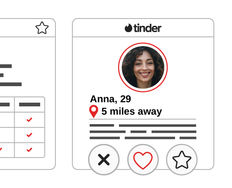
    Which apps do you use throughout your day? Maybe you manage your projects on Trello, use Notion as an internal docs site, and maybe, just maybe, you do some swiping on Tinder during your lunch break. Despite looking nothing alike, these three highly successful apps are organized around the same idea

    Social shares
    110
    Published
    Read Article
  • Read full article
    7 Reasons Object-Oriented UI Design Will Grow Your Career - Article hero image

    7 Reasons Object-Oriented UI Design Will Grow Your Career

    Vacation time! You book your flight. You have a reservation. It's real. You paid for it. And yet, when you open the airline's app to look at it, it's surprisingly elusive. You don't want to check in, you don't want to change it, you just want to find it and check the details. It's not on the home sc

    Social shares
    111
    Published
    Read Article
  • Read full article
    What are the Stages of Creativity? - Article hero image

    What are the Stages of Creativity?

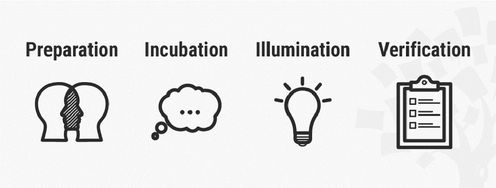
    Let’s explore the various stages of creativity so you can get a firmer idea of its true nature as such a powerful human resource. Graham Wallas was the first to create an overview of a creative process back in 1926. As you can imagine, lots of iterations have emerged since then. Some of these theori

    Social shares
    1.1k
    Published
    Read Article
  • Read full article
    Plug, Play, Persona: Your Free Template and Step-by-Step Guide - Article hero image

    Plug, Play, Persona: Your Free Template and Step-by-Step Guide

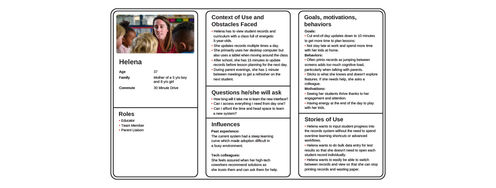
    You've searched for the perfect persona template, downloaded dozens, yet none quite hit the mark. Here's the problem: Most templates fail you because they focus on demographics, fancy sliders, and irrelevant details. None of these things help drive decisions or create solutions that improve lives. B

    Social shares
    136
    Published
    Read Article
  • Read full article
    Keyboard Navigation and Data Entry - Article hero image

    Keyboard Navigation and Data Entry

    Forms are an essential part of many interactions, but good form layout and clear labels are only part of the picture. Forms also need to work in all the ways users interact with them. Not everyone uses a mouse. Many users rely on keyboards, whether by preference, motor impairments, or because they u

    Social shares
    164
    Published
    Read Article
  • Read full article
    Expert Evaluation: Identify Problems Before You Recruit Users - Article hero image

    Expert Evaluation: Identify Problems Before You Recruit Users

    Before you have a single real user in a testing session, you can already find a significant proportion of the usability problems in a design. Expert evaluation, also known as heuristic evaluation, is one of the most cost-effective methods available to UX practitioners. It requires no recruitment, fa

    Social shares
    163
    Published
    Read Article
  • Read full article
    Perceptual Issues in Dynamic Interfaces - Article hero image

    Perceptual Issues in Dynamic Interfaces

    In this video, William Hudson, User Experience Strategist and Founder of Syntagm Ltd, explores the psychological phenomena that affect how users perceive changes in dynamic web interfaces. While the focus is on web pages, these principles apply to any interactive technology, from desktop application

    Social shares
    196
    Published
    Read Article
  • Read full article
    Legal Aspects of Accessibility - Article hero image

    Legal Aspects of Accessibility

    Understanding the legal requirements for accessibility is essential for anyone building digital products and services. Accessibility legislation exists worldwide, and failure to comply can result in costly lawsuits and reputational damage. This lesson explores the legal landscape, compliance standar

    Social shares
    166
    Published
    Read Article
  • Read full article
    Be Afraid! The Silent Role of Fear in Decision Making - Article hero image

    Be Afraid! The Silent Role of Fear in Decision Making

    Fear plays such a dominant role in our lives that several businesses and products have succeeded on the back of this single emotion. Here’s a look at some of the fears that affect our decision making, how businesses and products exploit these tendencies to their advantage, and how, as a designer, yo

    Social shares
    723
    Published
    Read Article

Top Articles

Top Topic Definitions

39% of Today's Skills Will Change by 2030

The World Economic Forum expects 39% of today's skills to be transformed or become outdated by 2030.

The good news is that jobs in UX / UI design and AI are among the fastest-growing professions globally.

Build Skills That Keep You Relevant

Privacy Settings

By using this site, you accept our Cookie Policy and Terms of Use.
Customize
Accept all

Be the One Who Inspires

People remember who shares great ideas.

Share on:

Academic Credibility — On Autopilot

Don't waste time googling citation formats. Just copy, paste and look legit in seconds.

Learn Design and AI From the Best

Get one powerful email each week, like 315,232 others.

Next email in: