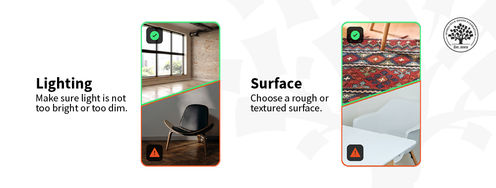
Illustration showing the visualisation of a case study, which includes the layout, color scheme, typography and high-quality images.

Design with Intent: Craft Your Portfolio with Visual Storytelling Tools

by Laia Tremosa • 13 min read

636 Shares
Save

Does your UX/UI portfolio look like a dry textbook or a captivating story? Use typography, colors, layout and accessibility to create a memorable narrative that showcases your design skills and your personalitymake a great first impression on hiring managers and get that interview for your dream job.

In this video, Morgane Peng, Design Director at Societe Generale CIB, talks about the visual elements of a design portfolio.

Transcript

Visual Design: Form Follows Function

When you work on the visual aspect of your portfolio, think about how you can use the visual elements—typography, color scheme, etc.—to tell your professional story. Think about the content you’ve selected to represent yourself and how you can better showcase it.

Let’s explore how each visual element becomes a narrative tool to captivate potential employers:

  1. Visual hierarchy and layout: Use visual hierarchy to guide recruiters through the story of your work. Take them on a journey—your design story—and help them find what they’re looking for. Also, use grids to keep your content organized and clean.

  1. Typography: Don't underestimate the power of fonts! Choose fonts that are not just aesthetically pleasing; they should speak to your design personality and professionalism. Clear, readable fonts act as your narrator; use them to communicate who you are as a designer to hiring managers. They are the voice that tells your design story. For body text, stick to user-friendly fonts, and be more creative (within reason) for titles.

  1. Color scheme: Keep in mind that colors evoke emotions and thus, have a significant impact on how your work is perceived. Think about the story you want to tell and choose your colors accordingly. Define the color palette and stick to it for the whole portfolio, this will ensure a cohesive and professional look.

  1. High-quality images: Be intentional about the images you choose. Think of them as snapshots of your design story. Each image should have a clear purpose and tell a story, whether it showcases your design process, the final product or a glimpse into your personality. Ensure all images are high-quality, well-lit and cropped to emphasize the key elements.

  1. Your logo and branding: Although logos are not mandatory for portfolios, if you’d like to design one, make sure that it represents you and your brand appropriately. Then feature it in your portfolio to build your identity as a designer.

  1. Responsiveness: Ensure your portfolio looks and functions flawlessly on any device, adapting to different screen sizes. Just like a great book can be enjoyed anywhere, your portfolio should provide a seamless user experience for recruiters, no matter how they choose to view it.

Remember, visual design isn’t just decoration; it’s the language that tells your professional design story. Use visual elements with the purpose to support your narrative, stand out from the crowd—for the right reasons—and captivate potential employers.
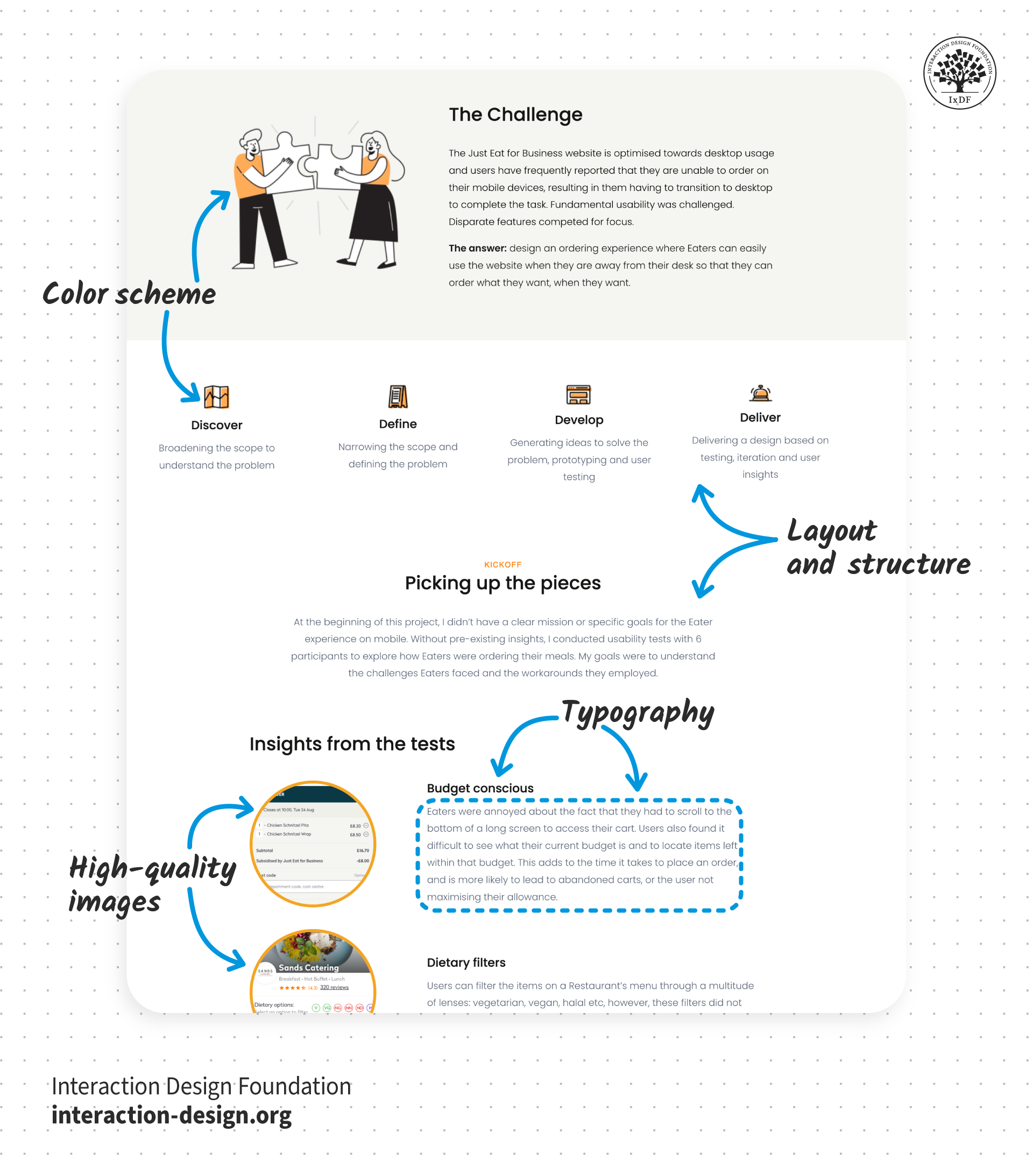
Illustration showing the visualisation of a case study, which includes the layout, color scheme, typography and high-quality images.

© Interaction Design Foundation, CC BY-SA 4.0

The Take Away

Don’t just make your portfolio aesthetically beautiful, use visual elements to tell your design story. Every visual element in your portfolio, from font choice to color palette, is a storytelling tool that can help you land your next interview.

Start by choosing fonts that support visual hierarchy, represent your personality and are easy to read. Next, select a color palette that reflects your design style and considers emotional impact. Add high-quality images that have a purpose and convey a specific message that supports your narrative. Also, make sure that hiring managers will have a seamless experience when reviewing your portfolio—no matter the device they use.

Overall, let your visuals be the voice of your design journey and use them strategically to support your professional narrative.

References and Where to Learn More

Want to create a portfolio that gets you hired? Take our course, Build a Standout UX/UI Portfolio: Land Your Dream Job, and learn how to showcase your skills, tell compelling project stories, and impress employers.

Take our course, Visual Design: The Ultimate Guide, to learn the basics of visual design and level up your portfolio’s appearance.

Read the article, The Key Elements & Principles of Visual Design.

Watch our Master Class, The Tone Of Typography: A Visual Communication Guide.

Build a network that supports your career growth—join an IxDF Local Group.

Hero image: © Interaction Design Foundation, CC BY-SA 4.0

Learn More in This Course:

Learn Design and AI From the Best

Get one powerful email each week, like 315,229 others.

Next email in:

What You Should Read Next

  • Read full article
    AR Heuristics to Avoid Common UX Pitfalls - Article hero image

    AR Heuristics to Avoid Common UX Pitfalls

    User testing may be the final word in usability, but usability guidelines, or "heuristics," are rubrics designers use to evaluate their designs. These guidelines are the product of decades of research and experience. They have traditionally been applied to mobile or desktop interfaces but were updat

    Social shares
    514
    Published
    Read Article
  • Read full article
    15 Inspiring UX Quotes for Innovation and Design - Article hero image

    15 Inspiring UX Quotes for Innovation and Design

    In design—and anywhere else that innovation is involved—words can often paint a picture far more vividly than strokes on a canvas ever could, and that’s true in UX design (user experience design), where inspiration often comes from straightforward phrases. These brief quotes are way more than just w

    Social shares
    822
    Published
    Read Article
  • Read full article
    Graphic Artist vs. Graphic Designer: What's the difference? - Article hero image

    Graphic Artist vs. Graphic Designer: What's the difference?

    Graphic art versus graphic design is pretty much still a bone of contention, and that’s after a long-standing debate that just keeps going on and on—more a source of intrigue than anything negative. Some believe the two overlap with a great deal of things that are interchangeable between them—but, f

    Social shares
    881
    Published
    Read Article
  • Read full article
    Spatial UI Design: Tips and Best Practices - Article hero image

    Spatial UI Design: Tips and Best Practices

    UX design for Augmented Reality (AR) has some different guidelines than what is used for screen-based UX. Designers must consider the space and the physical limits of what is comfortable for the human body. Also, as AR overlays physical space, you must be very aware of the cognitive load because you

    Social shares
    657
    Published
    Read Article
  • Read full article
    Object-Oriented UI Design: How You Can Collaborate Seamlessly with Developers and Build Better Products - Article hero image

    Object-Oriented UI Design: How You Can Collaborate Seamlessly with Developers and Build Better Products

    You’re at your routine health checkup, sipping an iced coffee on a hot day. Suddenly, you get a sharp pain in your head. The doctor looks up from her notes, a sympathetic expression on her face. “You’re experiencing sphenopalatine ganglioneuralgia.” Your heart sinks. The coffee cup drops to the floo

    Social shares
    116
    Published
    Read Article
  • Read full article
    Copy These 3 Industry-Leading Apps and Turn Object-Oriented Design into Your Secret Career Advantage - Article hero image

    Copy These 3 Industry-Leading Apps and Turn Object-Oriented Design into Your Secret Career Advantage

    Which apps do you use throughout your day? Maybe you manage your projects on Trello, use Notion as an internal docs site, and maybe, just maybe, you do some swiping on Tinder during your lunch break. Despite looking nothing alike, these three highly successful apps are organized around the same idea

    Social shares
    111
    Published
    Read Article
  • Read full article
    7 Reasons Object-Oriented UI Design Will Grow Your Career - Article hero image

    7 Reasons Object-Oriented UI Design Will Grow Your Career

    Vacation time! You book your flight. You have a reservation. It's real. You paid for it. And yet, when you open the airline's app to look at it, it's surprisingly elusive. You don't want to check in, you don't want to change it, you just want to find it and check the details. It's not on the home sc

    Social shares
    112
    Published
    Read Article
  • Read full article
    Should UX Designers Learn to Code? - Article hero image

    Should UX Designers Learn to Code?

    As with every design decision, the answer to the question “Should UX designers learn to code?” is: “It depends.” When you work with digital products, you may not always need to write lines of code, but it is an added advantage to know how to build the product that you design.In the early days of web

    Social shares
    671
    Published
    Read Article
  • Read full article
    What are the Stages of Creativity? - Article hero image

    What are the Stages of Creativity?

    Let’s explore the various stages of creativity so you can get a firmer idea of its true nature as such a powerful human resource. Graham Wallas was the first to create an overview of a creative process back in 1926. As you can imagine, lots of iterations have emerged since then. Some of these theori

    Social shares
    1.1k
    Published
    Read Article
  • Read full article
    Plug, Play, Persona: Your Free Template and Step-by-Step Guide - Article hero image

    Plug, Play, Persona: Your Free Template and Step-by-Step Guide

    You've searched for the perfect persona template, downloaded dozens, yet none quite hit the mark. Here's the problem: Most templates fail you because they focus on demographics, fancy sliders, and irrelevant details. None of these things help drive decisions or create solutions that improve lives. B

    Social shares
    137
    Published
    Read Article

Top Articles

Top Topic Definitions

39% of Today's Skills Will Change by 2030

The World Economic Forum expects 39% of today's skills to be transformed or become outdated by 2030.

The good news is that jobs in UX / UI design and AI are among the fastest-growing professions globally.

Build Skills That Keep You Relevant

Privacy Settings

By using this site, you accept our Cookie Policy and Terms of Use.
Customize
Accept all

Be the One Who Inspires

People remember who shares great ideas.

Share on:

Academic Credibility — On Autopilot

Don't waste time googling citation formats. Just copy, paste and look legit in seconds.

Learn Design and AI From the Best

Get one powerful email each week, like 315,229 others.

Next email in: