Your constantly-updated definition of First-Click Testing and collection of videos and articles. Be a conversation starter: Share this page and inspire others!
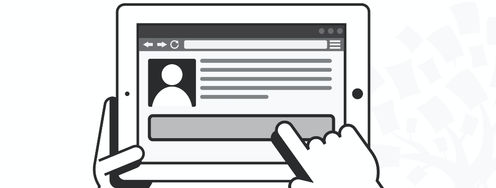
First-click testing determines where users start specific tasks on a webpage. Participants click where they think they should go first to complete a given task.
First-click testing should come after finalizing the navigational structure of your website. It can also work with low-fidelity prototypes, making it an invaluable tool in early UX research.
Here are some tips for conducting first-click testing:
Provide less than 10 tasks.
Write tasks that test the specific part of your website that you want to improve.
Write tasks as realistic scenarios that make sense for typical users.
Provide an “I don’t know where to click” button to avoid random guesses.
Having “I don’t know where to click” as an option is a good practice for increasing the reliability of results.
First-click tests might also include a question asking why the participant clicked somewhere. When analyzing these responses, remember people are usually bad at explaining decisions afterward. Therefore, these answers shouldn't be the basis of big decisions.
Why? Because design skills make you valuable. In any job. Any industry.
In This Course, You'll
Get excited to build the authority and influence of a designer who backs qualitative user insights with hard, statistical evidence. A classic UX design study by Bailey and Wolfson found that users complete their task 87% of the time when their first click on a website leads down the right path, but just 46% of the time when it leads down the wrong one. A first-click test with dozens of users reveals where your navigation is leading them down the wrong path, so you can fix it before it translates to lost conversions. That's the power quantitative research gives you. You can surface and confirm user behavior at a scale your qualitative work cannot, tie your design decisions to business outcomes, and settle conflicting feedback or too many ideas.
Prove the return on investment (ROI) of your design decisions to stakeholders when you have more data and confidence than qualitative methods alone could ever give you. Whether you're switching into a design career or stepping into a senior role, this course takes you from the foundations through to running surveys, early-design tests, analytics, and A/B tests in real projects. You'll get a practical,formula-free grounding in statistics, significance, and sampling.
Make yourself invaluable when you can choose the best quantitative method for the situation, apply it effectively, analyze the results, and turn the numbers into confident decisions. You'll build versatility as you master surveys, tree testing, first-click testing, web and app analytics, and A/B and multivariate testing. Finally, you'll use triangulation to validate your qualitative insights before you commit organizational resources. As AI becomes standard for processing data, your ability to frame the right problems, interpret results through a human lens, and translate insights into action is the human-centered skillset hiring managers want to see.
Gain confidence and credibility as you strengthen your research toolkit and can make the case for using it. You'll learn to screen participants, spot disengaged ones, and write survey questions that minimize bias. You'll use standardized usability questionnaires like SUS and WAMMI to benchmark your product against industry data. For analytics, you'll work through Jansen's four-step process in Google Analytics: identify the stakeholders whose cooperation you'll need, define primary goals and conversions, identify your most important visitors, and set KPIs that hold up over time. On the statistics side, you'll learn hypothesis testing and the null hypothesis: the logic behind every test you'll run. You'll also gain a clear decision process for choosing one based on your data type. Since most UX data is categorical (conversions, clicks, choices), you'll focus on Chi-Square and Fisher's exact, with the t-test and Mann-Whitney U for numerical cases like task times.
Craft your portfolio with an optional, multi-part project. You'll design and run a real survey, an early-design test, an analytics analysis, and an A/B test on a website or app of your choice. Throughout the course, you'll get downloadable resources, including a Likert Scale Spreadsheet, a Data Types and Statistical Tests Template, and a Survey Question Tips Template, so you can immediately apply what you learn.
Learn From Industry Leaders
Master complex skills with proven best practices and toolkits directly from industry leaders. Meet your expert for this course:
William Hudson: User Experience Strategist and Founder of Syntagm.
Earn Industry-Recognized Certificates
Industry giants trust our courses to train their teams, and prestigious universities integrate our content into their curricula. Add your certificates to your LinkedIn profile, résumé, and job applications.
First-Click Testing shows you where users start their journey.First-click testing is very simple in concept and is pretty well described by its name; users are given a task and are asked to click on a design representation to indicate where they’d start. The design representation could be nothing mo
Early-Design Testing is a great way to minimize extra work later in the process.Let’s get started on this exciting topic! In the video, William Hudson introduces early-design testing generally and the two methods we’re going to cover in detail: tree testing and first-click testing:References & W
Example of a tree-testing “pietree” from Optimal WorkshopAs with most research tools, you need to decide what you’re trying to find out and who to conduct your research with. In this video, William Hudson talks about these important questions and the related issues of participant recruitment and scr
First-click testing is very simple in concept and is pretty well described by its name; users are given a task and are asked to click on a design representation to indicate where they’d start. The design representation could be nothing more than a pencil sketch through to wireframes or nearly-finished screenshots. Bear in mind that the earlier we begin testing, the better!
The video provides practical advice on getting started: