Woman presenting next to a meme of a man in a suit pointing, with text repeating “POWER POINT. POWER POINT. POWER POINT.” highlighting overuse of PowerPoint in presentations.

Avoid Death by PowerPoint: Structure Your Slides for Maximum Impact

• 14 min read

423 Shares
Save

Your message is ready, your delivery honed. Now, how do you put that brilliance on slides? Discover how to structure your slide deck strategically so that it supports your message, whether you present live or share it for independent review.

Whether you're pitching to stakeholders, leading a team meeting, or sending your deck to decision-makers, the way you structure your slides determines whether your message lands—or gets lost. Messy decks get ignored. Strategic ones make people listen, take action, and remember you.

In the next video, Morgane Peng, Head of Product Design & AI Transformation at Societe Generale, explains how to structure your slides in a way that does more than just look good—they speak clearly, build trust, and help you stand out.

Transcript

Once you’ve researched your audience, defined messages, and planned your structure, it’s time to turn strategy into visuals. Here's how to make your deck do its job.

Visual Consistency Equals Instant Credibility

Remember the last time you saw a slide deck that was all over the place? That makes us lose trust instantly the same way users lose trust in your designs if they are not visually consistent. Visual inconsistency creates subtle disorganization, which the brain reads as a red flag. We naturally look for patterns to decide what’s safe and reliable—so when something breaks the pattern, it feels careless. That hint of carelessness implies unreliability, which then erodes credibility and makes it harder for your audience to trust your message.
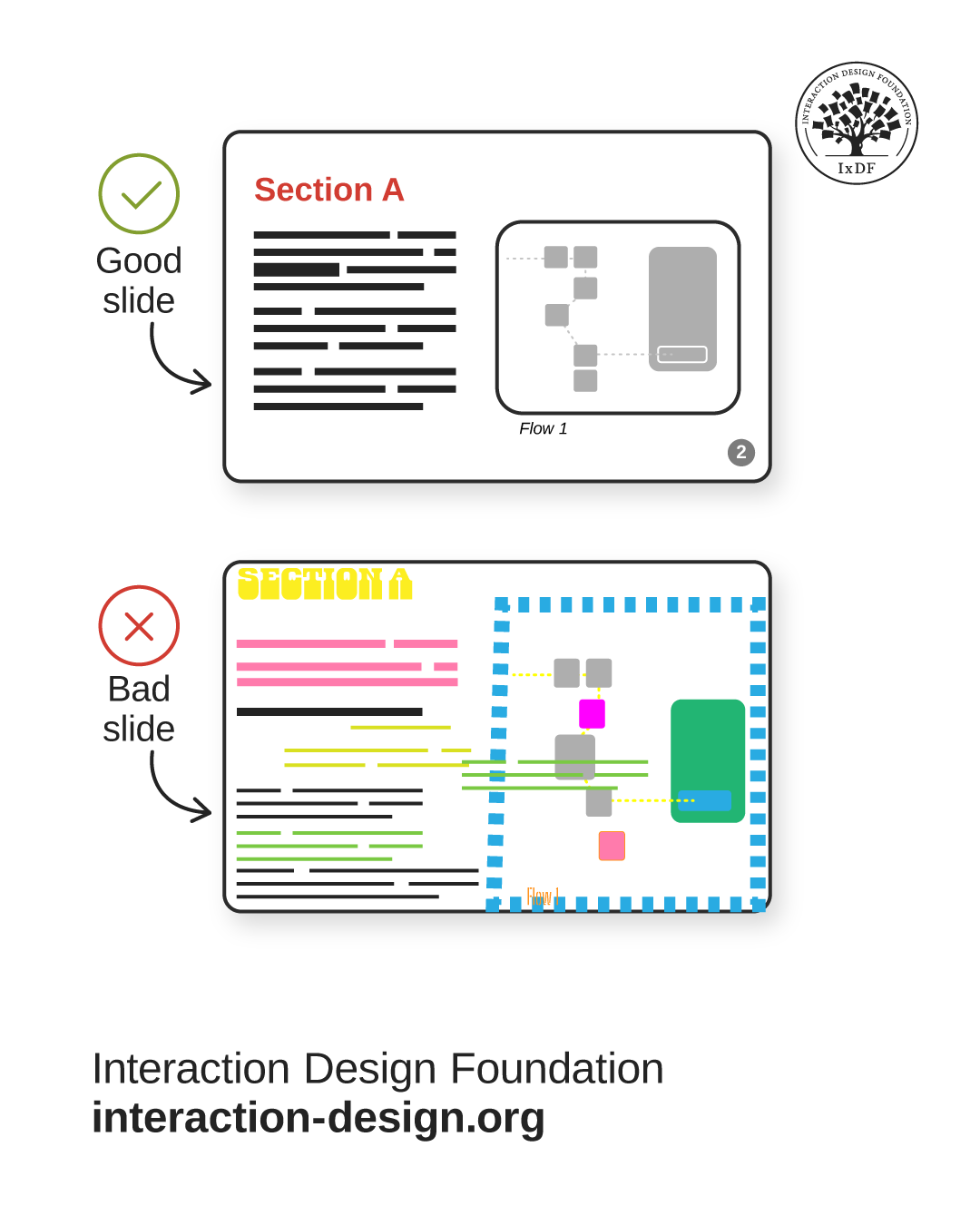
Illustration of a good slide and a bad slide side-by-side. The good slide has a minimalist design with a simple color palette. The bad slide has many colors, elements, and shapes arranged haphazardly.

© Interaction Design Foundation, CC BY-SA 4.0

All slide decks should be visually consistent and coherent. Your design expertise comes in handy here:

  • Visuals: Use consistent fonts, color systems, and consider contrast ratios and accessibility.

  • Layout: Follow Gestalt laws for spacing and information grouping. For example, make spacing between title and content larger than between paragraphs. Make it scannable, intuitive, and easy on the eyes. For example, on your slides, the spacing between the title and content should be larger than between paragraphs:
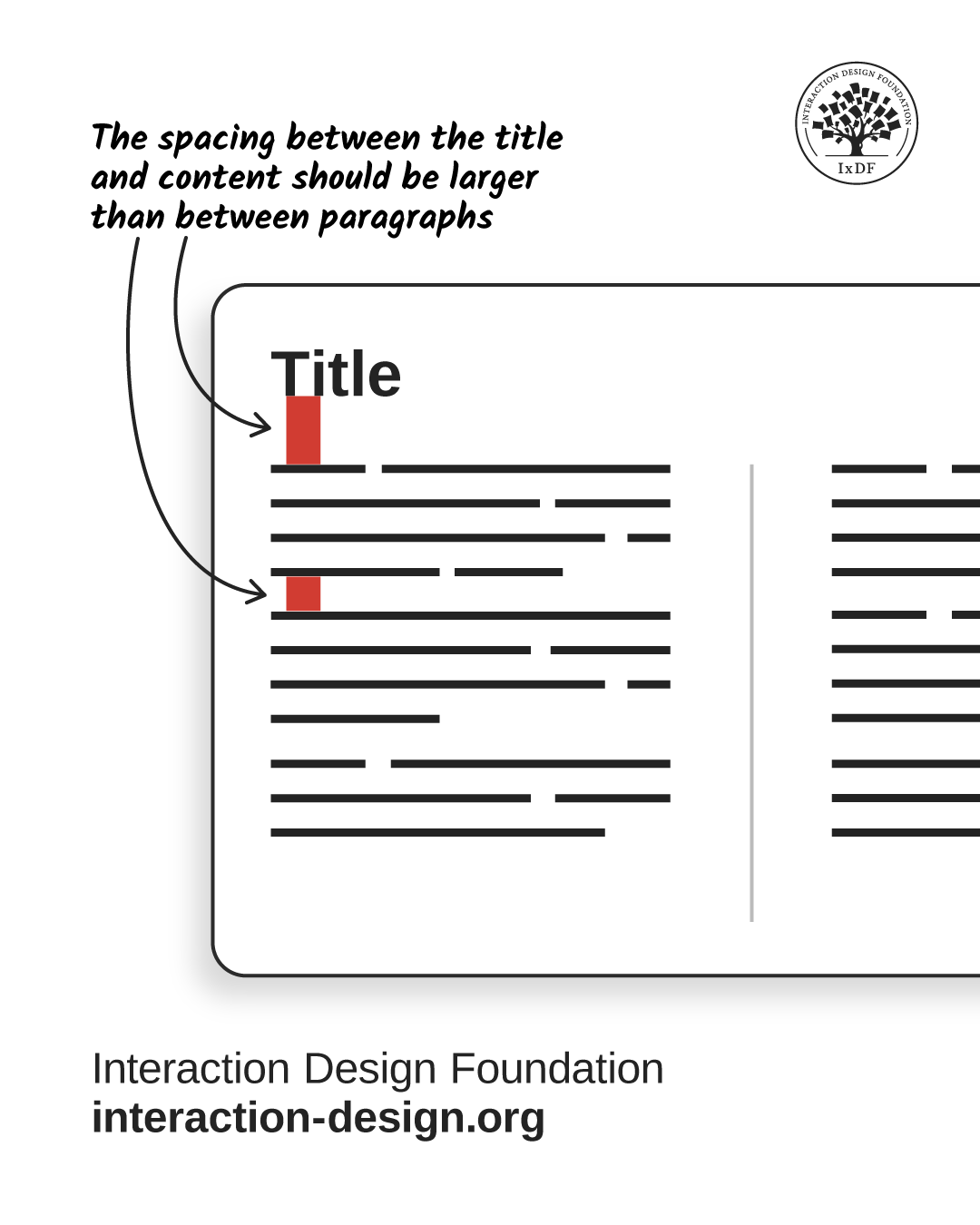
© Interaction Design Foundation, CC BY-SA 4.0

  • Cover page: Include a title, optional subtitle, date, and presenter name.

© Interaction Design Foundation, CC BY-SA 4.0

A clear and credible slide deck has a title, optional subtitle, date, and the presenter’s name.

Choose the Right Slide Deck Type
© Interaction Design Foundation, CC BY-SA 4.0

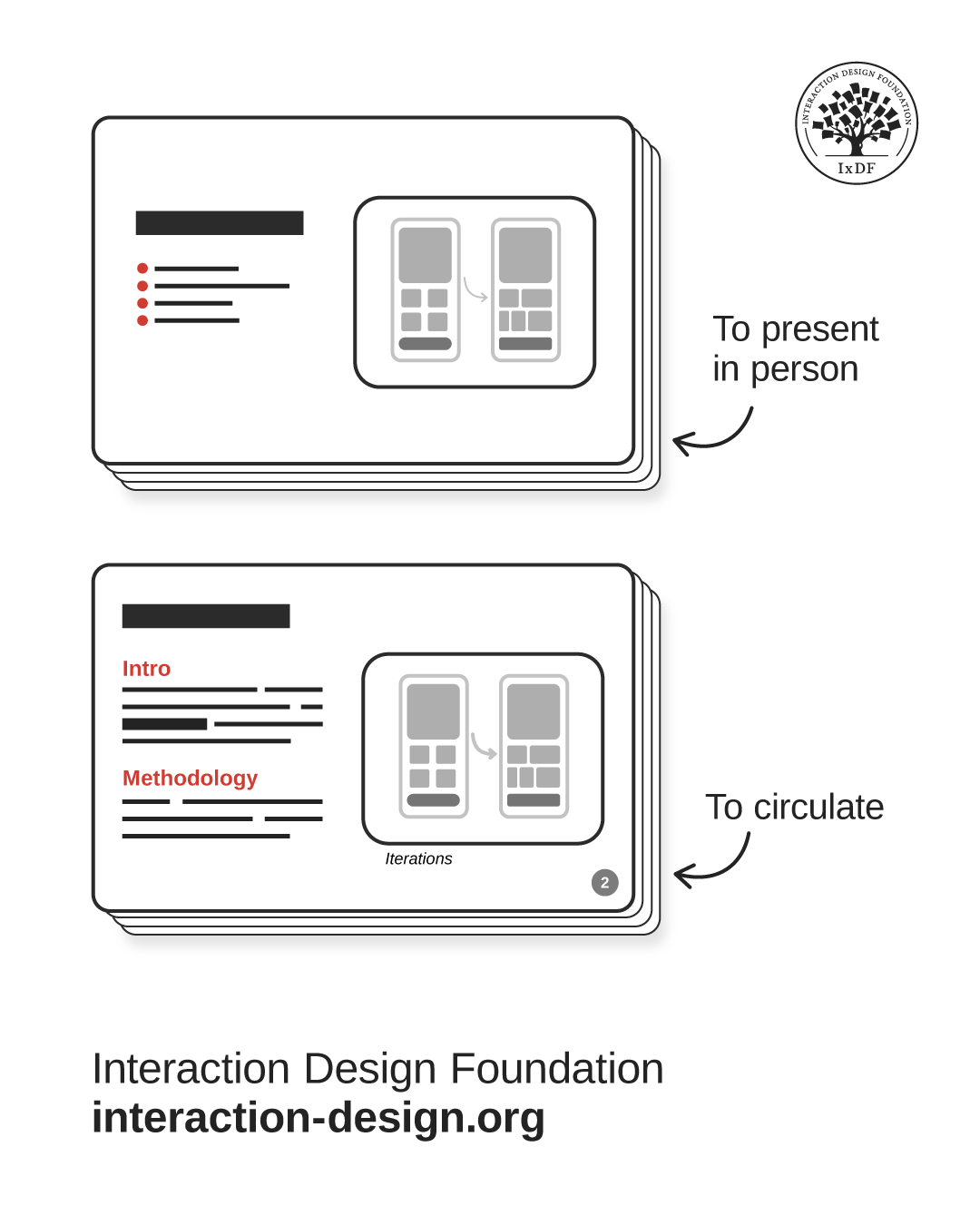
Your project context will usually dictate the format—oral or written. It’s useful to prepare two decks—one written for circulation, one oral for presentation. For example, you’d send a written portfolio to recruiters, then use a lighter oral version for interviews.

Create Slides That Support, Don’t Distract for Oral Presentations

When you present live, your slides are your sidekick—not the main act. Oral presentations should have these specific traits:

  • Simplicity: Use minimal text to support you, not compete for attention.

  • Progressive disclosure: Reveal content gradually with animations to match your speaking pace.

  • Live interactivity: Incorporate questions, polls, or reactions as you control the flow. Engage your audience, don’t lecture them.

Let Slides Speak for You in Written Presentations

If you’re not in the room, your slides need to do all the talking. Make sure that your slides are self-sufficient:

  • Self-support: Use full sentences and paragraphs, not just bullet points. Bold key information.

  • Structure and pages: Require clear sections and pagination for easy navigation.

  • Meaningful headlines: Convey key facts immediately, e.g., "56% of users feel lost..." instead of "Key findings...".

  • Asynchronous links: Embed links within or to external resources.

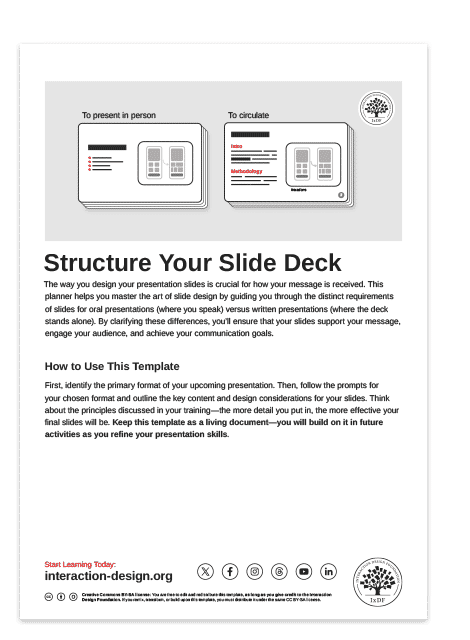
To help you apply these principles and strategically structure your slides, use the template below. This practical tool guides you to design slides that elevate your message and command your audience's attention.
Advance Your Career With This Free Template for “Structure Your Slide Deck”
Structure Your Slide Deck
Optional
Optional
We respect your privacy
Get 1 powerful email each week: Learn Design and AI From the Best.

The Take Away

A sharp deck makes your message clear and makes you look sharp, too. All your slide decks should be visually consistent through fonts, colors, and design principles like Gestalt laws.

Your project context guides your choice of slide deck type, and often, preparing two versions (one written, one oral) proves most useful. For oral presentations, prioritize simplicity and minimal text to support your talk, not compete. Reveal content progressively with animations and use live interactivity. In contrast, written presentations must be self-supporting—use full sentences, clear layouts with pagination, and meaningful headlines to convey information instantly. Include asynchronous links for added resources.

When you build decks with clear structure, you remove friction. Your message becomes easier to digest, your audience stays engaged, and you come across as prepared and credible—which is ultimately what gets people to believe you and act on what you share.

References and Where to Learn More

Watch the Master Class, Win Clients, Pitches and Approval: Present Your Designs Effectively presented by Author, Speaker and Leadership Coach, Todd Zaki Warfel.

Check out MIT’s Comm Lab’s article, Structuring a Slide Presentation.

Read Pitch’s Presentation best practices.

Hero Image: © Interaction Design Foundation, CC BY-SA 4.0

Learn More in This Course:

Learn Design and AI From the Best

Get one powerful email each week, like 313,906 others.

Next email in:

What You Should Read Next

  • Read full article
    Don Norman: How You Can Rapidly Move Up by Thinking in Systems (Not Features) - Article hero image

    Don Norman: How You Can Rapidly Move Up by Thinking in Systems (Not Features)

    How can you move up in a company? Learn the fundamentals of business such as statistics, finance, accounting, marketing, supply chain and administration. How do you do that? One way to do this is to get a Master of Business Administration (MBA) degree. But Don says you can also learn them without go

    Social shares
    611
    Published
    Read Article
  • Read full article
    How to Find Your Voice: Speak with Confidence and Clarity - Article hero image

    How to Find Your Voice: Speak with Confidence and Clarity

    You’ve heard it before “It’s not what you said—it’s how you said it.” Your voice can change how people feel—even if your message doesn’t. If you vary your tone and pacing, you can make your ideas sound more trustworthy, exciting, or urgent. Harness this neuroscience-backed communication power and yo

    Social shares
    451
    Published
    Read Article
  • Read full article
    Use Feedback as Your Superpower: Learn, Improve, Shine - Article hero image

    Use Feedback as Your Superpower: Learn, Improve, Shine

    Feedback: the word alone can inspire apprehension. Yet, it’s the lifeblood of great design. Whether it’s subtle critique or blunt rejection, how you respond to feedback matters more than you think. You can defend your design—or you can use that moment to learn, improve, and show you're the kind of p

    Social shares
    340
    Published
    Read Article
  • Read full article
    Overcome the Self-Doubt That Stops You from Being an Excellent Presenter - Article hero image

    Overcome the Self-Doubt That Stops You from Being an Excellent Presenter

    Do you doubt your ability to speak up, thinking you’re not the public speaking type? Many people do. But the truth is, most beliefs about presentation skills are simply wrong. Let’s break down these myths and boost your confidence—you’ve got far more potential than you think.In the next video, Morga

    Social shares
    313
    Published
    Read Article
  • Read full article
    Present Like a Pro: Become a Designer Who Leads - Article hero image

    Present Like a Pro: Become a Designer Who Leads

    Your ideas are only as powerful as your ability to communicate them. You can design the perfect solution ... but if nobody understands it, cares about it, or champions it? It goes nowhere. If you can master presentation skills, you’ll open new doors in your design career, access new opportunities, a

    Social shares
    321
    Published
    Read Article
  • Read full article
    Presentation Pitfalls and How You Avoid Them - Article hero image

    Presentation Pitfalls and How You Avoid Them

    You’ve worked hard on your ideas—don’t let simple messaging missteps keep them from landing. Make your brilliant ideas shine in every presentation by deftly sidestepping common messaging missteps, and give your hard work the influence it deserves every time.Morgane Peng, Head of Product Design & AI

    Social shares
    329
    Published
    Read Article
  • Read full article
    How to Change Your Career from Software Development to UX Design - Article hero image

    How to Change Your Career from Software Development to UX Design

    Most people believe that an aesthetic sense or a formal education in visual design is necessary to become a user experience (UX) designer. This perception unfortunately becomes an obstacle for software developers who want to switch their career to UX design.If you’re a software developer who wants t

    Social shares
    727
    Published
    Read Article
  • Read full article
    Design League Savings, AI Tutor, and Pricing Updates - Article hero image

    Design League Savings, AI Tutor, and Pricing Updates

    Rikke and I started IxDF in 2002 with nothing. We lived in a bamboo hut in Thailand with no investors, no safety net, and no plan B. We had a conviction that world-class design education should not be a privilege reserved for people who could afford a $15,000 degree.That conviction has never changed

    Social shares
    169
    Published
    Read Article
  • Read full article
    If You Don’t Fail, You’re Not Trying Hard Enough - Article hero image

    If You Don’t Fail, You’re Not Trying Hard Enough

    In some cultures, people never recover from failure, and Don Norman says this is wrong. In other cultures, failure is seen as a way to learn. David Kelley, the founder of design firm IDEO, once said, “Fail faster, succeed sooner.” Don says this is good, but encourages us to take it one step further,

    Social shares
    606
    Published
    Read Article
  • Read full article
    AR Heuristics to Avoid Common UX Pitfalls - Article hero image

    AR Heuristics to Avoid Common UX Pitfalls

    User testing may be the final word in usability, but usability guidelines, or "heuristics," are rubrics designers use to evaluate their designs. These guidelines are the product of decades of research and experience. They have traditionally been applied to mobile or desktop interfaces but were updat

    Social shares
    522
    Published
    Read Article

Top Articles

Top Topic Definitions

39% of Today's Skills Will Change by 2030

The World Economic Forum expects 39% of today's skills to be transformed or become outdated by 2030.

The good news is that jobs in UX / UI design and AI are among the fastest-growing professions globally.

Build Skills That Keep You Relevant

Privacy Settings

By using this site, you accept our Cookie Policy and Terms of Use.
Customize
Accept all

Be the One Who Inspires

People remember who shares great ideas.

Share on:

Academic Credibility — On Autopilot

Don't waste time googling citation formats. Just copy, paste and look legit in seconds.

Learn Design and AI From the Best

Get one powerful email each week, like 313,906 others.

Next email in: