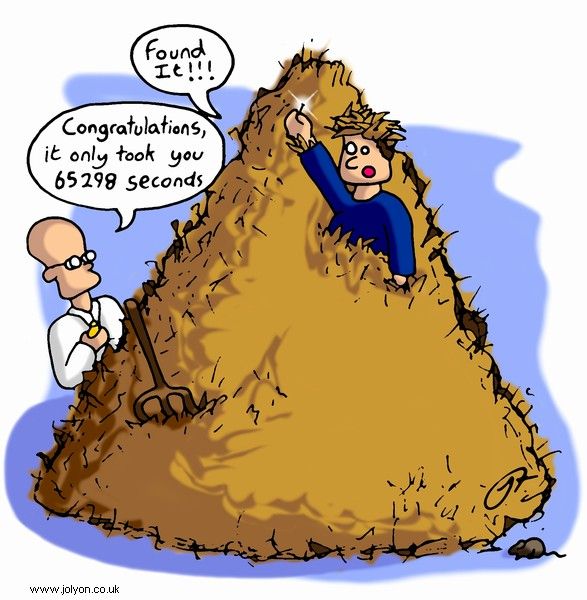
Findability is the quality that determines how easily a user can locate content, features, or information, whether by searching externally (for example, via a search engine) or by navigating within a product. When something is findable, users can reach it through reasonable effort using the pathways, labels, and structures the design provides.
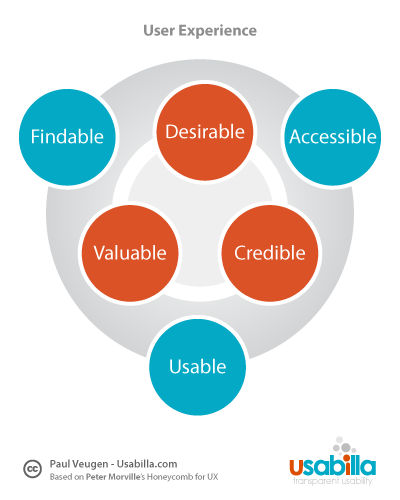
The concept was established by Peter Morville, a pioneer of information architecture, who identified findability as one of seven essential facets of user experience alongside usability, accessibility, usefulness, desirability, credibility, and value. Morville’s framing emphasizes that a product can be well-designed and technically sound yet still fail its users if they cannot locate what they need within it.
Findability is relevant to every digital product: websites, mobile applications, enterprise software, and content management systems all present findability challenges. At a commercial level, the stakes are high. Research shows that 50% of online buyers go directly to the search function, and that 34% of visitors leave a site when a search proves unsuccessful. Poor findability does not just frustrate users; it directly reduces conversion, retention, and task completion.
Findability and Discoverability
Findability and discoverability are related but distinct concepts, and the distinction matters for design decisions.
Findability concerns known-item seeking: the user knows, or believes, that something exists and is trying to locate it. The design question is whether the structure, labels, and search tools make that path clear.
Discoverability concerns serendipitous or exploratory encounters: the user was not specifically looking for something but encounters it and recognizes its relevance. Recommendation systems, related-content modules, and well-designed category pages all support discoverability.
Both matter for user experience, but they call for different design strategies. Improving findability means refining structure, navigation, and labels so that directed searches succeed. Improving discoverability means creating pathways that surface relevant content to users who did not know to look for it. Designs that conflate the two often do neither well.
The Components of Findability
Findability is not a single design property; it emerges from the interaction of several systems. Weaknesses in any one of them can cause findability to fail even when the others are well executed.
Organization
How content is categorized and structured is the foundation of findability. Information architecture (IA) practice groups content according to users’ mental models rather than internal organizational logic. When categories reflect how users think about a domain, rather than how a business or development team has organized it internally, navigation succeeds. When they do not, users are forced to guess, and findability breaks down regardless of how good the labeling or search may be.
The critical IA design challenge is that users’ mental models are rarely uniform. Different user groups may expect the same content to live in different places. Card sorting and tree testing are the primary research methods for exposing these divergences and resolving them before launch.
Labeling
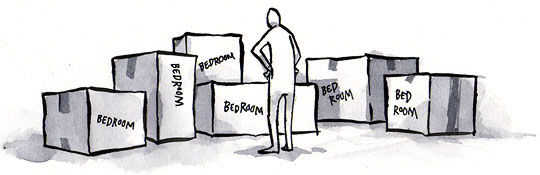
Labels are the words used for navigation items, headings, categories, and links. They are the interface between the designer’s structural decisions and the user’s ability to act on them. A well-organized structure with poorly chosen labels will still fail: users cannot navigate to a category they cannot recognize or predict.
Effective labels use the user's vocabulary, not the organization's. They are specific enough to distinguish categories from one another, and consistent enough that users can build a reliable mental model of the site or application. Icon-only navigation is a common labeling failure; icons without text labels force users to guess their meaning rather than read them, weakening information scent and increasing errors.
Navigation
Navigation systems provide the pathways that guide users from where they are to where they want to be. Well-designed navigation includes global navigation (consistent site-wide access to main sections), local navigation (context-specific pathways within a section), and supplementary navigation (sitemaps, indexes, breadcrumbs) that help users orient themselves and recover from wrong turns.
Breadcrumbs are particularly valuable for findability because they serve two functions simultaneously: they show users where they are in the hierarchy, and they provide quick pathways back up the structure. Research consistently shows that breadcrumbs reduce task completion time and lower error rates in hierarchical content environments.
On mobile, navigation design requires additional care. Space constraints often push navigation behind disclosure controls such as hamburger menus, which reduce visibility. Designers must weigh the tradeoff between screen economy and the discoverability of navigation itself.
Search
Search is the safety net of findability: it is what users reach for when navigation and browsing have failed, and it is the preferred starting point for a large proportion of users regardless. Treating search as an afterthought is a significant and common design error.
Effective on-site search requires autocomplete to reduce input friction, tolerance for spelling variation, synonym handling so that users’ words map to the site’s vocabulary, and well-designed results pages that present results with enough contextual information for users to evaluate relevance without clicking every result. Faceted search, where results can be filtered by attributes, is especially valuable in content-rich environments such as e-commerce or document repositories.
Search log analysis is one of the most productive and underused findability research methods. The queries users submit reveal directly what they expect to find and cannot locate through browsing. Repeated high-volume queries for content that should be reachable via navigation signal a structural or labeling problem, not just a search problem.
Metadata
Metadata underpins findability at both the structural and search levels. Descriptive metadata (page titles, headings, alt text, structured data markup) allows content to be indexed, surfaced, and filtered accurately. Without meaningful metadata, search systems — whether internal or external — cannot reliably surface the right content.
In practice, metadata quality is often degraded by content workflows that treat it as optional or administrative. UX designers working with content strategy and editorial teams should establish metadata requirements early, since retrofitting metadata to an existing content library is expensive and frequently incomplete.
Information Scent
Information scent is the degree to which the cues available at any point in a user’s journey — link labels, headings, visual hierarchy, contextual navigation, breadcrumbs — signal whether they are moving toward the content they want. The concept comes from information foraging theory (Pirolli and Card, 1999), which applies an evolutionary lens to how people seek information: users, like foragers, make moment-to-moment decisions about whether to follow a current path or abandon it based on the signals available.
Strong information scent keeps users on a productive path toward their goal. Weak scent leads them to abandon a path and try another, increasing task completion time and reducing confidence in the product. Misleading scent — where a link or heading suggests relevance that the destination does not deliver — is particularly damaging, as it erodes trust.
For designers, the practical implication is that structure and labels must work together. A correctly organized hierarchy with labels that do not clearly communicate what lies behind each link will produce weak scent. First-click testing is the most direct way to measure scent quality: if users cannot identify the correct first step toward a goal at a rate of 80% or above, the scent at that decision point is insufficient.
External Findability and SEO
External findability concerns whether users can reach a product or content item from outside it, primarily via search engines. It overlaps substantially with search engine optimization (SEO): page titles, meta descriptions, heading structure, URL design, page speed, mobile responsiveness, and structured data markup all influence whether content surfaces in external search results.
UX designers are not always directly responsible for SEO, but many of the design decisions that affect internal findability — clear heading hierarchies, meaningful page titles, descriptive link text, logical URL structures — are identical to those that support external findability. The two are best treated as a shared concern rather than separate disciplines.
Voice search and AI-driven search interfaces have introduced new external findability challenges. Conversational queries are longer and more intent-specific than keyword queries, and content that is organized around user tasks and questions rather than keywords tends to perform better in these contexts. Structured data markup (schema.org vocabulary) helps search engines interpret content accurately and surface it in rich result formats such as featured snippets and knowledge panels.
Findability and Accessibility
Findability and accessibility are distinct dimensions of user experience but they are closely interdependent. A user who cannot perceive a navigation element because it has insufficient color contrast, or who cannot operate a menu because it is not keyboard-accessible, faces a findability failure even if the underlying structure is sound.
Many of the requirements in WCAG (Web Content Accessibility Guidelines) directly improve findability for all users, not only those relying on assistive technology. Consistent navigation (WCAG 3.2.3), descriptive page titles (WCAG 2.4.2), headings that accurately describe content (WCAG 2.4.6), and multiple ways to find content (WCAG 2.4.5) are simultaneously accessibility requirements and findability best practices. Designing for accessibility and designing for findability are, in large part, the same activity.
Screen reader users in particular depend on well-structured headings to navigate within a page, since heading navigation is one of the primary methods by which assistive technology users orient themselves in long-form content. A page with a meaningful heading hierarchy is findable for screen reader users; one with flat or inconsistent headings is not, regardless of how well organized the content may be visually.
Testing and Measuring Findability
Findability problems are often invisible to designers and stakeholders who know the product well. Testing requires methods that expose the gap between the designer’s mental model and the user’s. The following methods each isolate a different potential source of failure.
Tree Testing
Tree testing (also called reverse card sorting) evaluates whether an IA structure works independently of the visual navigation design. Participants navigate a text-only hierarchy to find specific items. Because there are no visual design cues, tree testing isolates whether category names and structures match users’ expectations. It is best conducted before detailed visual design begins, as it identifies structural problems at a stage when they are cheap to fix.
First-Click Testing
First-click testing presents users with a task and a screenshot or wireframe and asks where they would click first to complete it. The first click is a strong predictor of task success: research from Human Factors International found that users who make the correct first click complete the task successfully 87% of the time, compared to 46% for those who do not. First-click testing is fast, inexpensive, and can be run remotely at scale.
Card Sorting
Card sorting reveals users’ mental models for how content should be grouped and labeled. In open card sorting, participants group items and name the groups themselves, generating data about expected information architecture. In closed card sorting, participants assign items to predefined categories, testing whether an existing set of category names is understood as intended. Both forms generate quantitative data about where users agree and disagree.
Usability Testing with Navigation Tasks
Task-based usability testing allows direct observation of how users navigate a product. Unlike tree testing, it captures the full context of interface decisions, including the effects of visual design, layout, and interaction on findability. Observing hesitation, backtracking, and search use reveals where information scent breaks down and where navigation fails.
Search Log Analysis
Analyzing what users type into on-site search is one of the most cost-effective methods for findability research because the data is generated continuously by real users completing real tasks. High-volume queries for content that should be reachable via navigation indicate a labeling or structural failure. No-results queries reveal mismatches in vocabulary between the site’s labels and users’ language. Exit rates after specific searches indicate where search quality falls short.
References and Further Reading
See Peter Morville's seminal book, Ambient Findability: What We Find Changes Who We Become
Read one of the definitive texts on Information Architecture in Rosenfeld and Morville's, Information Architecture: For the Web and Beyond